
 Get registered and you will earn 17 points
(Each R100 spent = 1 point).
Get registered and you will earn 17 points
(Each R100 spent = 1 point).
IN STOCK at EXTERNAL supplier.
If ordered before 10AM:
DELIVERED next business day (main centres)
or 3-5 business days (regional areas or large items)
COLLECTION from GeeWiz available Same Day (approx 4:30pm)
Product is expected to be in stock, however stock levels are LOW, so stock may be finished. If ordered, we will contact you if this product is sold out


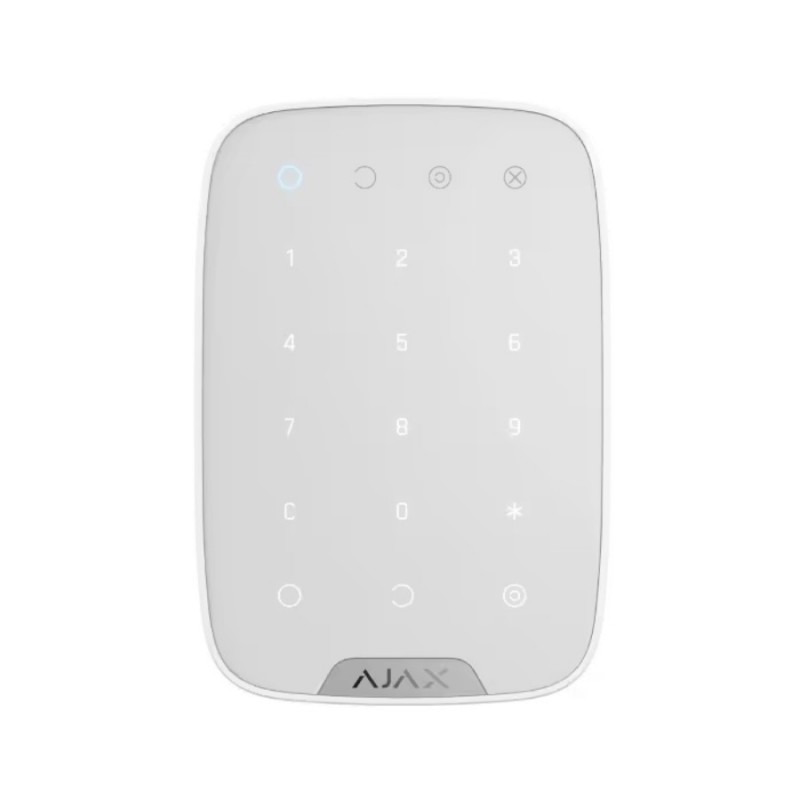
Wireless touch keypad is used to arm/disarm an Ajax security system. It is mounted in the room near the entrance door to provide quick access to the keypad.
The device operates security modes when a digital code is entered on the keypad. Indication notifies of current security status, problems with detectors or breakdown of communication with the hub.
Alarm button is available. It notifies of each attempt to guess the code and blocks automatically if the permissible number of entries is exceeded.
KeyPad supports up to 99 keypad access codes1 for people not registered in the Ajax system. Thanks to this feature, there is no need to create accounts for office employees, a cleaning company, or a realtor: it is enough to assign an access code to a person in the hub settings.
Ready to operate straight out the box: the battery is already installed, therefore there is no need to disassemble the keypad. With one click, it can be connected to the hub in the mobile application. It can be mounted on the SmartBracket in just a few minutes.
If you have any further questions, please feel free to use the form below to ask:
(8 other products in the same category)