
| We will be closed on Mon 21 Sept for Yom Kippur. All orders will be processed on Tues 22 Sept. Please allow an additional 1-2 days for courier. |

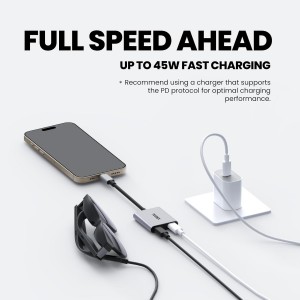
45W Fast Charging — Keep devices powered while using XREAL glasses
Supports up to 120 Hz — Smooth visuals when device allows
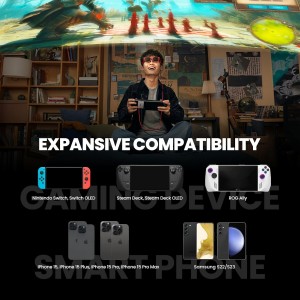
Game & Stream Longer — Ideal for Steam Deck, ROG Ally, Switch, iPhone 15 & more
Safe & Reliable — Built-in over-voltage protection circuitry
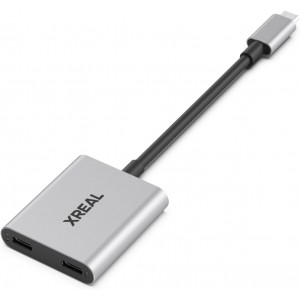
Premium Build — Durable aluminum alloy, compact & travel-ready
 Get registered and you will earn 11 points
(Each R100 spent = 1 point).
Get registered and you will earn 11 points
(Each R100 spent = 1 point).45W Fast Charging — Keep devices powered while using XREAL glasses
Supports up to 120 Hz — Smooth visuals when device allows
Game & Stream Longer — Ideal for Steam Deck, ROG Ally, Switch, iPhone 15 & more
Safe & Reliable — Built-in over-voltage protection circuitry
Premium Build — Durable aluminum alloy, compact & travel-ready
IN STOCK AT OVERSEAS SUPPLIER - DISPATCHED/COLLECTION IN 14-20 DAYS

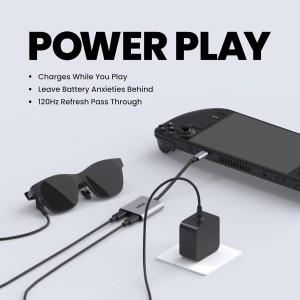
Never let weak batteries hold you back—stay immersed in your screen, stream longer, game harder, and “play-while-charging” with the XREAL Hub.
Premium Highlights:
45W Fast Charging — Power your device even as you use your XREAL AR glasses. No more “low battery” interruptions.
High Refresh Smooth-Output (120 Hz) — Supports up to 120 Hz passthrough so you get silky smooth visuals without lag, when your source device allows.
Wide Compatibility — Works with Steam Deck, ROG Ally, Nintendo Switch, iPhone 15, Samsung S22/S23, and other USB-C video output or compatible devices. *Note: iPhones earlier than iPhone 14 (Lightning port) are not compatible.
Smart Protection Circuitry — Built-in safeguards for over-voltage protect your gear. You get power without risking damage.
Rugged, Stylish Build — Housing made of premium aluminium alloy that’s durable, compact, and easy to carry.
Ideal For:
Gamers who want to play on devices like Steam Deck or ROG Ally without battery anxiety.
Creators streaming media or videos via AR glasses while keeping their source device powered.
Anyone frequently on the go—travelling, commuting, attending long sessions—who needs reliable power + AR display capability.
Things to Note:
The 120 Hz refresh support depends on your source device's compatibility. If your device doesn't support video output at that refresh rate, results will cap at what your hardware allows.
Charging effectiveness (i.e. how fast the 45W goes through) can vary based on what device you’re powering and how much load the AR glasses are pulling.
Make sure to update firmware via the Beam or Nebula app for best performance
If you have any further questions, please feel free to use the form below to ask:
(8 other products in the same category)